A Writing app for Writers.

Subplot is a calm, distraction-free place to write — minimal when you want it, powerful when you need it.

Free while in beta

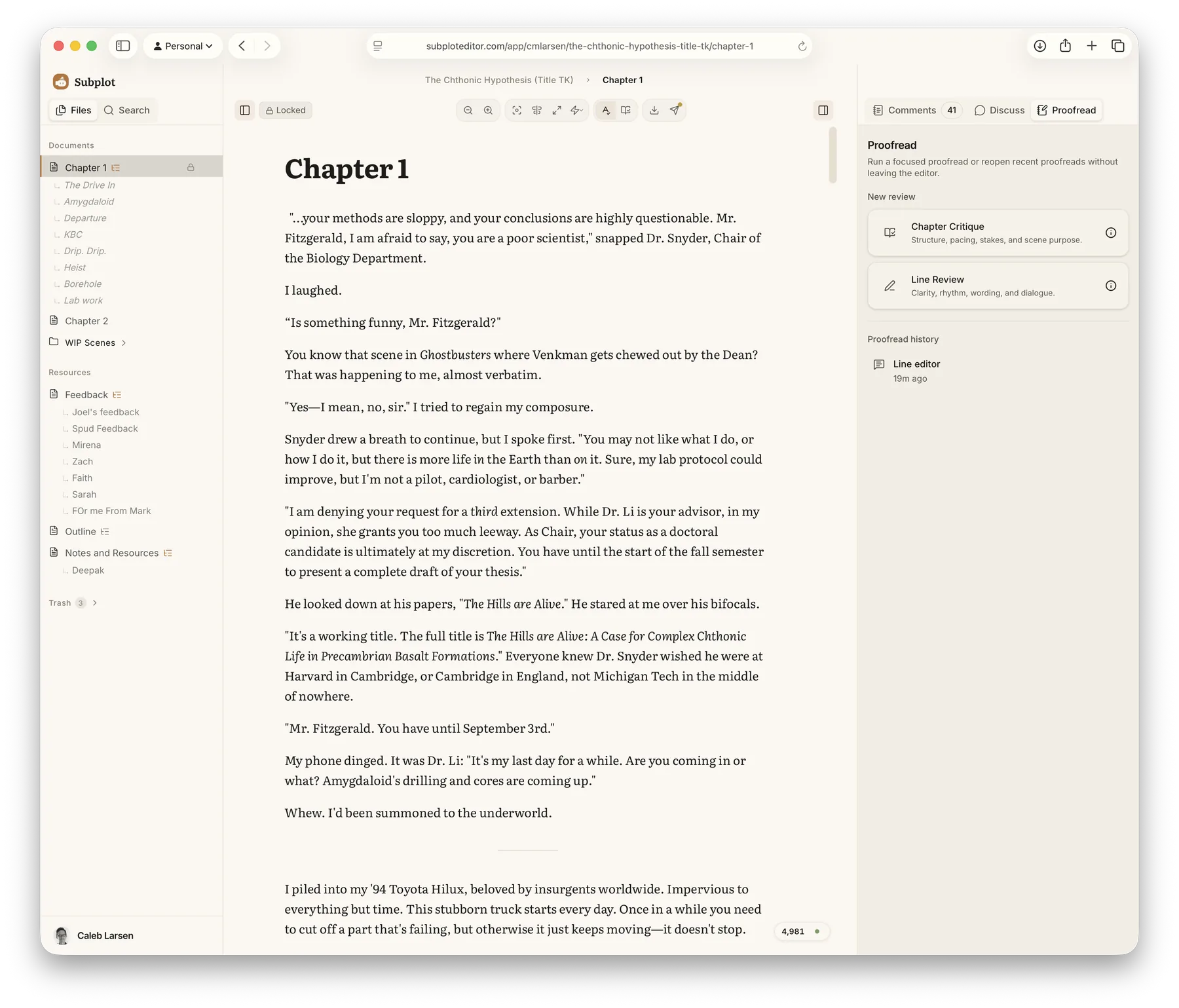
The Subplot editor, with a chapter open and the proofread panel ready

A calmer place to write

Minimal when you want it. Powerful when you need it.

Google Docs pulls your attention in every direction. Word buries you in menus. Subplot stays out of the way — then hands you the tools to dig in when you want them.

Distraction-free by default
Focus Mode hides the sidebar, the panels, everything — nothing on screen but your words and the page.
Writing sprints
Set a duration and a word goal, flip on forward-only mode to silence your inner editor, and just draft until the timer runs out.
Focus Mode — a clean editor with no sidebar or panels, just the chapter text

Make it yours

Your page, the way you like it

Subplot has no fixed look. The whole interface is themed — so it can be plain and quiet or warm and rich, whatever keeps you in the chair.

Light or dark, your call
Draft in a bright, papery light mode or a low, focused dark one. Switch whenever the room — or the mood — changes.
Themed down to the type
Colors, fonts, and spacing all follow the theme. The look belongs to you, not to us.
The Subplot editor in a dark theme The same editor in a light theme

Editorial support, not a ghostwriter

An editor who never touches your prose

AI has no business writing your novel — but it makes a sharp second pair of eyes. Subplot diagnoses and recommends, then steps back. The words and the meaning stay yours.

Line Review
Clarity, rhythm, wording, and dialogue, line by line — with the context of your whole story. It even flags what's working, not just what's broken. Never a rewrite, never a creative suggestion.
Chapter Critique
Zoom out to structure, pacing, stakes, and scene purpose across the whole chapter — the kind of feedback a developmental editor would give you.
Talk it through
Stuck? Think out loud with Subplot. It asks the probing questions and gives you a gut check — without ever trying to write the scene for you.
A Line Editor note tagged What's working A Line Editor note tagged Word choice, Moderate A Line Editor note tagged Key issue, Major

No lock-in. No lost work.

Your manuscript stays safe — and stays yours

Never lose a word
Real-time sync across your devices, hourly server backups, and automatic version history. Close the laptop mid-sentence — it's all still there.
Import and export freely
Bring work in from Markdown, Google Docs, or Word. Take it out as Markdown, Word, or a print-ready PDF. No lock-in, ever.
Never trained on your writing
Your manuscript is never used to train AI models. It's a guarantee in the terms — not a setting you have to find and switch off.
Caleb, the maker of Subplot

Why I built it

I wanted a writing app that respected the writing — quiet while I'm drafting, genuinely useful while I'm revising, and an AI that helps me think without ever putting words in my characters' mouths. I couldn't find it, so I'm building it. I write in Subplot every day.

Caleb · maker of Subplot, and one of its writers

Start writing today.

Subplot is free while it's in beta. No credit card required.